
Budget & Fundraising
Track expenses and manage fundraising opportunities to maintain healthy team finances.
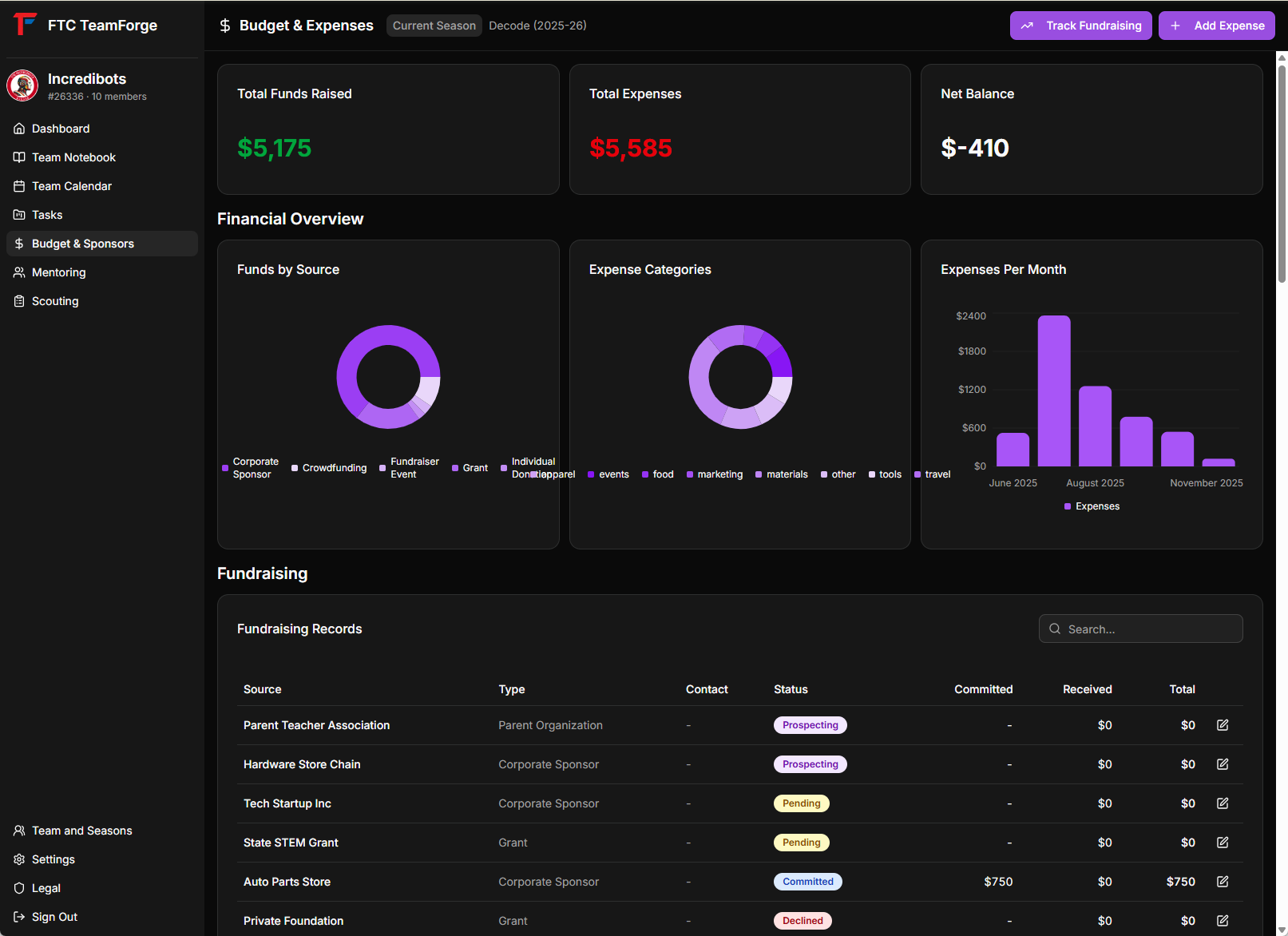
Overview
The Budget module provides a complete financial management system with:
- Expense tracking by category
- Fundraising pipeline management
- Financial analytics and charts
- Real-time budget calculations
Financial Summary
At the top of the page, see your key financial metrics:
- Total Funds Raised - Sum of all received fundraising
- Total Expenses - Sum of all tracked expenses
- Net Balance - Funds raised minus expenses
Managing Expenses
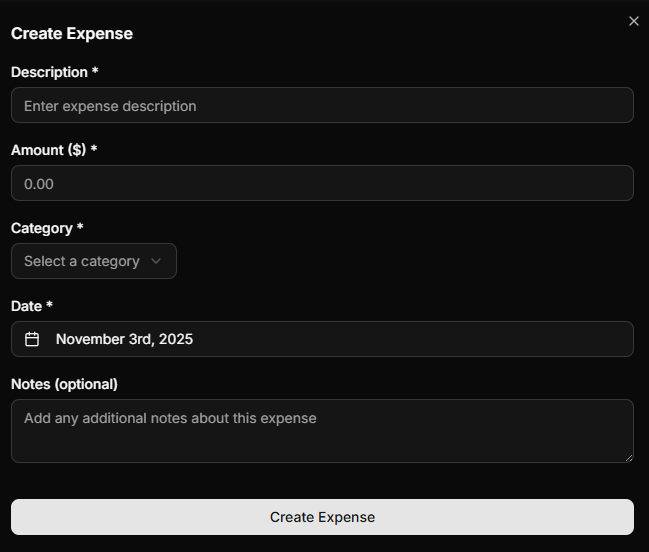
Adding an Expense
Track team expenses:
- Click "+ Add Expense" button
- Fill in expense details:
- Description - What was purchased
- Amount - Cost in dollars
- Category - Select from:
- Food
- Events
- Materials
- Tools
- Travel
- Apparel
- Marketing
- Other
- Date - When the expense occurred
- Notes - Additional details (optional)
- Click "Add Expense"
Expense Categories
Organize expenses by category for better tracking:
- Food - Team meals and snacks
- Events - Competition fees, event costs
- Materials - Robot building materials
- Tools - Equipment and tools
- Travel - Transportation and lodging
- Apparel - Team shirts, uniforms
- Marketing - Promotional materials
- Other - Miscellaneous expenses
Viewing Expenses
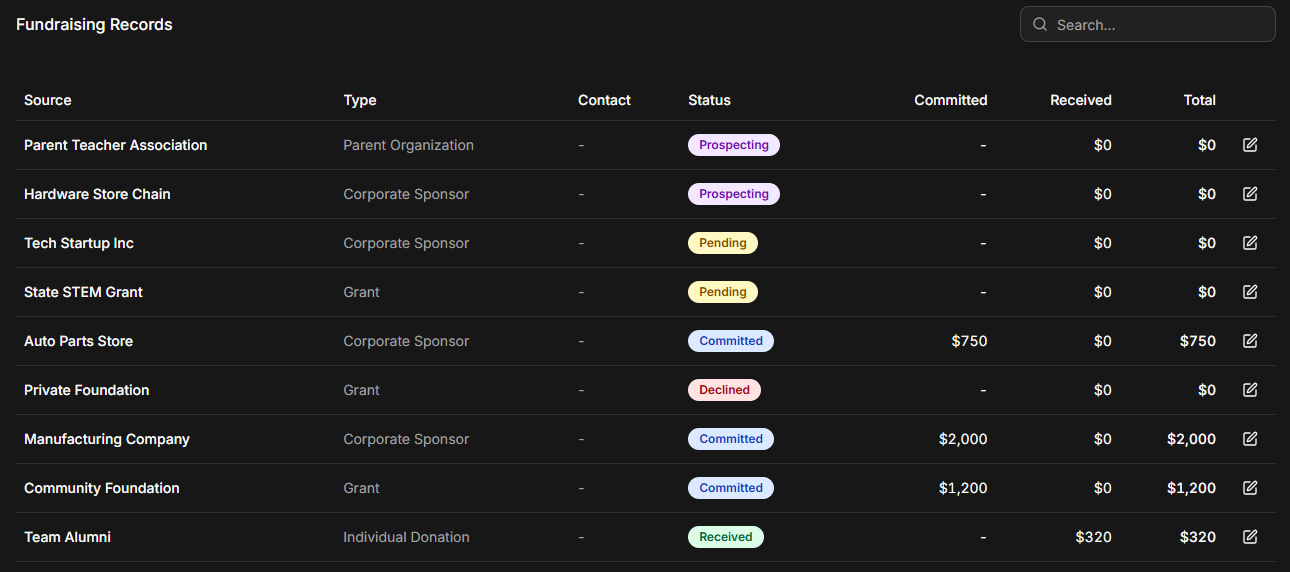
Browse all expenses in a table format:
- Search expenses by description
- Filter by category
- Sort by date or amount
- Edit or delete expenses as needed
Managing Fundraising
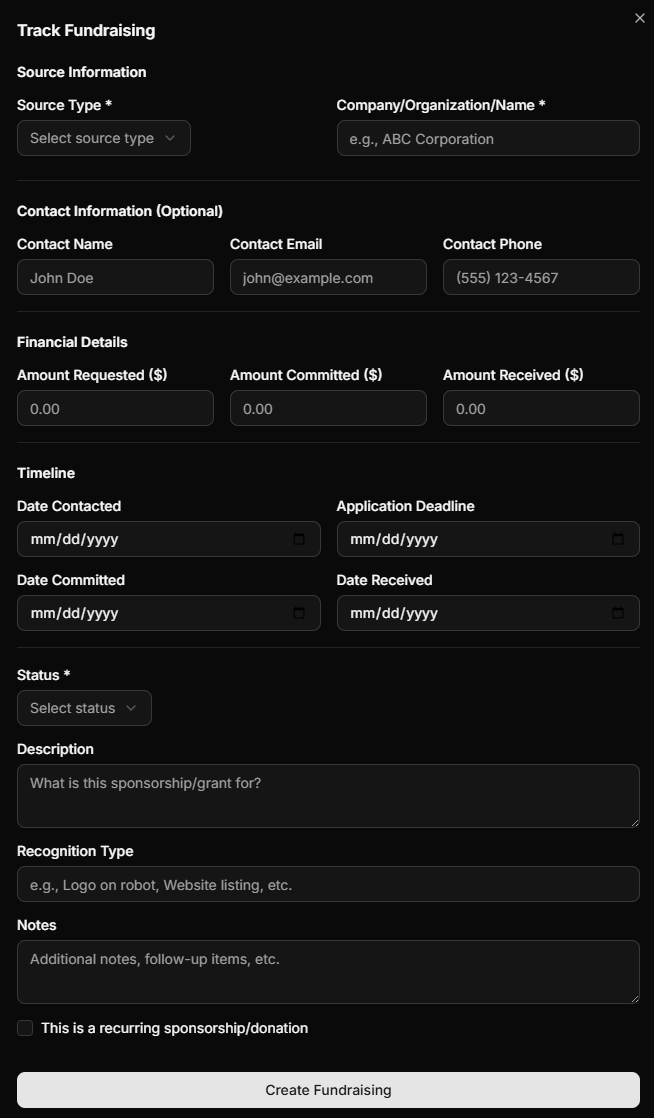
Adding a Fundraising Opportunity
Track fundraising from multiple sources:
- Click "+ Add Fundraising" button
- Fill in details:
- Source Name - Organization or person
- Source Type - Select from:
- Corporate Sponsor
- Grant
- Individual Donation
- Fundraiser Event
- Crowdfunding
- Merchandise Sales
- Parent Organization
- Other
- Status - Current pipeline stage:
- Prospecting
- Pending
- Committed
- Received
- Declined
- Cancelled
- Amounts:
- Requested Amount
- Committed Amount
- Received Amount
- Contact Information - Name, email, phone
- Dates - Contacted, committed, received, deadline
- Recognition - How sponsor will be recognized
- Recurring - Check if this is an ongoing donation
- Click "Add Fundraising"
Fundraising Pipeline
The pipeline tracks opportunities through stages:
Prospecting → Pending → Committed → Received
Or alternatively: Declined / Cancelled
Updating Fundraising Status
As opportunities progress:
- Edit the fundraising record
- Update the status
- Update amounts (committed, received)
- Update dates
Financial Analytics
Charts and Visualizations
The Budget module includes several charts:
Fundraising by Source (Pie Chart)
- See breakdown of funds by source type
- Helps identify most successful fundraising channels
Expenses by Category (Pie Chart)
- Visualize spending across categories
- Identify where most money is being spent
Monthly Expenses Trend (Bar Chart)
- Track spending patterns over time
- Identify high-spending months
Budget Comparison (Line Chart)
- Compare fundraising vs. expenses over time
- Appears on the Dashboard
Search and Filter
Both expenses and fundraising records support:
- Search - Find records by name or description
- Filter - Filter by category, status, or date range
- Sort - Sort by any column
Season-Based Tracking
All financial data is tied to your current season. Switch seasons to view historical financial data from previous years.
Tips
- Record Expenses Promptly - Don't wait, log expenses as they happen
- Use Detailed Descriptions - Future you will appreciate the details
- Track All Sources - Include all fundraising, even small amounts
- Update Status Regularly - Keep the pipeline current
- Set Deadlines - Use deadline dates for grant applications
- Contact Information - Store sponsor contacts for future outreach
- Recurring Donations - Flag ongoing sponsorships for renewal tracking
- Recognition Field - Note how sponsors want to be acknowledged
- Review Charts - Regularly review spending patterns and adjust budgets