
Mentoring
Track mentoring sessions with other FTC teams and monitor your team's mentoring impact.
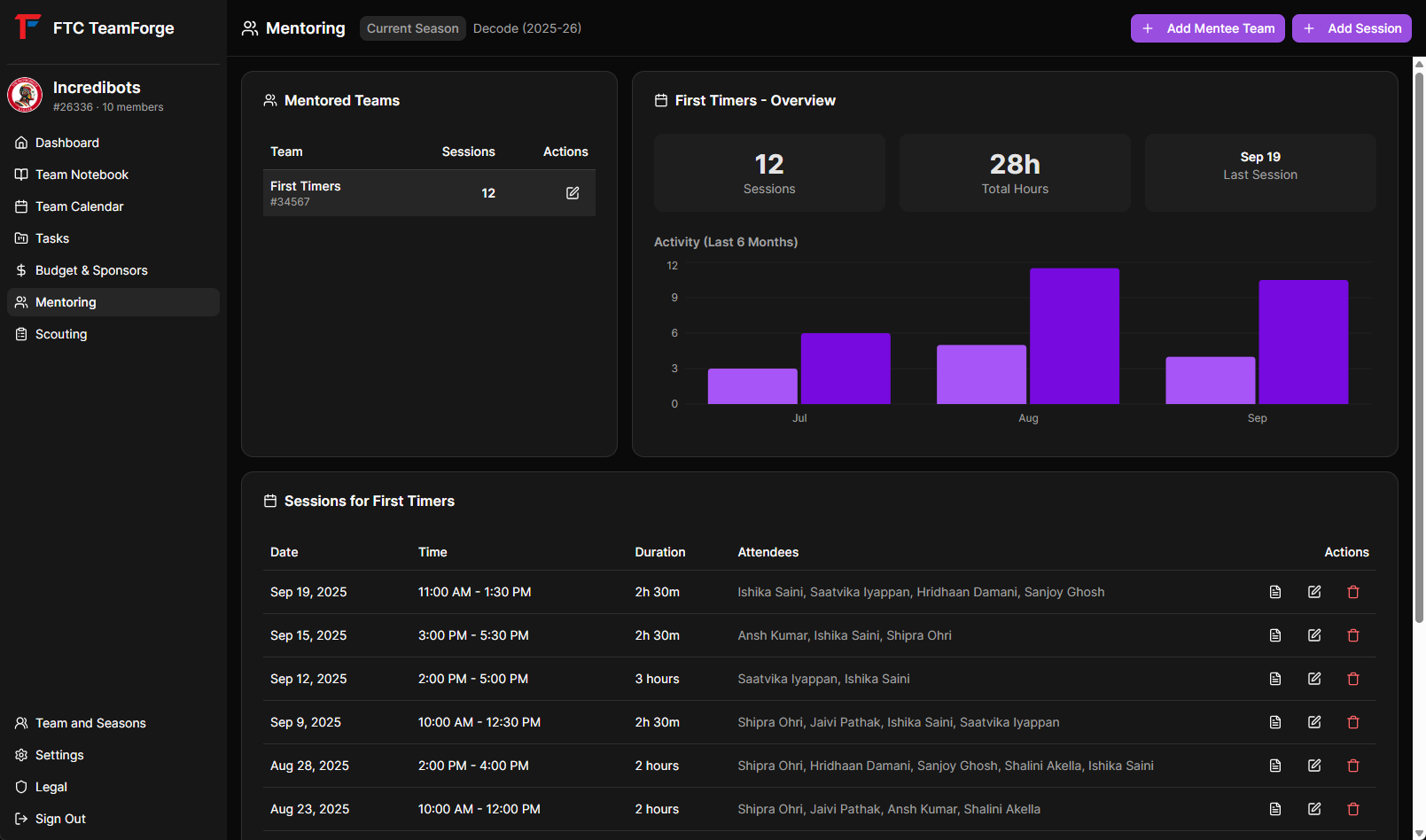
Overview
The Mentoring module helps experienced teams document their mentoring relationships and track hours spent helping rookie or junior teams.
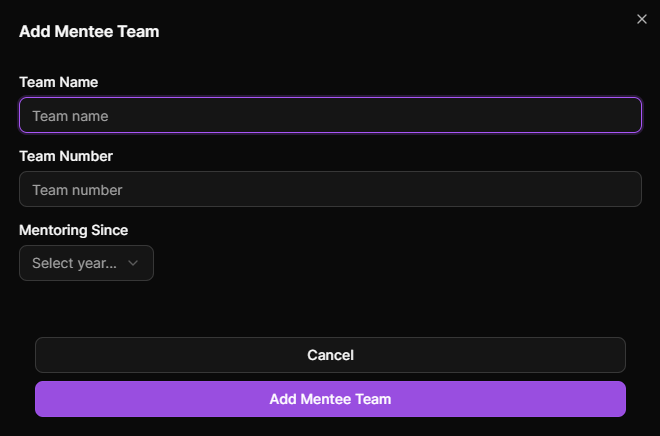
Adding a Mentored Team
Register teams you mentor:
- Click "+ Add Mentee Team" button
- Fill in team details:
- Team Number - FTC team number (e.g., 12345)
- Team Name - Official team name
- School Name - School or organization
- Mentoring Since - Year you started mentoring them
- Click "Add Team"
Team Dashboard
The mentoring page displays:
- Teams Table - List of all mentored teams with key stats
- Analytics Chart - Visual representation of mentoring activity
- Side-by-side layout on larger screens
Team Statistics
For each mentored team, see:
- Total sessions conducted
- Total mentoring hours
- Last session date
- Mentoring since year
Recording Mentoring Sessions
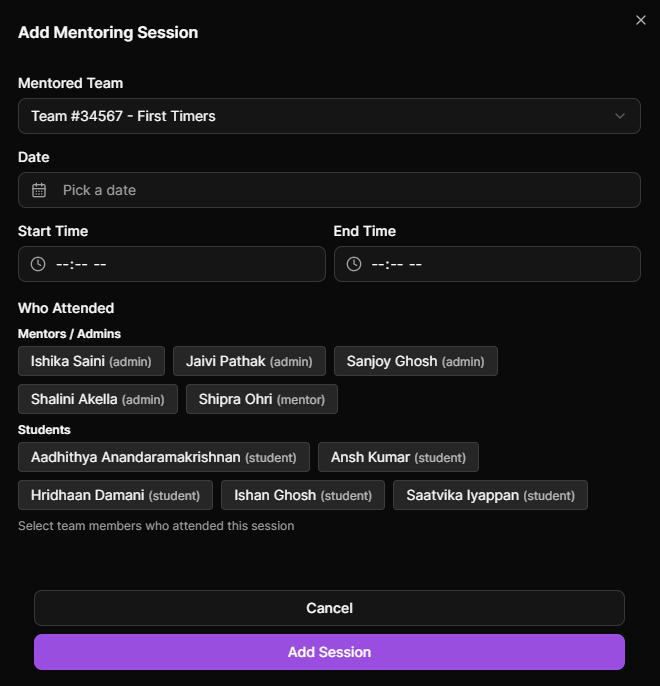
Track individual mentoring sessions:
- Select a mentored team from the table
- Click "+ Add Session" button
- Fill in session details:
- Date - Session date
- Start Time - When the session began
- End Time - When the session ended
- Attendees - Select team members who participated
- Description - What was covered (optional)
- Click "Create Session"
Session Duration
Duration is automatically calculated based on start and end times. This ensures accurate hour tracking for awards and grants.
Attendees
Select which of your team members participated in the mentoring session. This helps:
- Track individual member contributions
- Document participation for awards
- Show team-wide involvement
Viewing Sessions
Sessions for each team are displayed in a table showing:
- Date of session
- Duration (hours and minutes)
- Number of attendees
- Edit and delete options
Session Notebooks
Document session details with linked notebook pages:
- Click on a session
- Create or view linked notebooks
- Document:
- Topics covered
- Robot design reviews
- Programming help provided
- Strategy discussions
- These pages appear in the Notebook module linked to this session
Analytics
Monthly Activity Chart
The chart shows mentoring activity over the last 6 months:
- Sessions - Number of sessions per month (line)
- Hours - Total hours per month (line)
- Helps visualize consistency and commitment
Team Overview
When a team is selected, see:
- Total sessions count
- Total hours invested
- Last session date
- Historical trends
Managing Sessions
Editing Sessions
Update session information:
- Click the edit icon on a session
- Modify any details
- Save changes
Deleting Sessions
Remove sessions if entered in error:
- Click the delete icon
- Confirm deletion
Use Cases
Award Applications
Use mentoring data for:
- Dean's List applications
- Compass Award submissions
- Grant applications requiring community impact
Grant Reporting
Many grants require documentation of:
- Hours spent mentoring
- Number of teams helped
- Consistency of support
Team Recognition
Track your team's contribution to the FTC community and recognize members who participate in mentoring.
Tips
- Record Promptly - Log sessions right after they happen
- Accurate Times - Use actual start/end times for proper hour tracking
- Include All Attendees - Credit everyone who participated
- Use Notebooks - Document what you taught for future reference
- Regular Sessions - Consistent mentoring is more valuable than occasional help
- Track Multiple Teams - Don't limit yourself to one mentee
- Export Data - Use session data for award applications and grant reports