
Scouting
Integrate with the FTC Events API to search teams, view match data, and organize scouting notes.
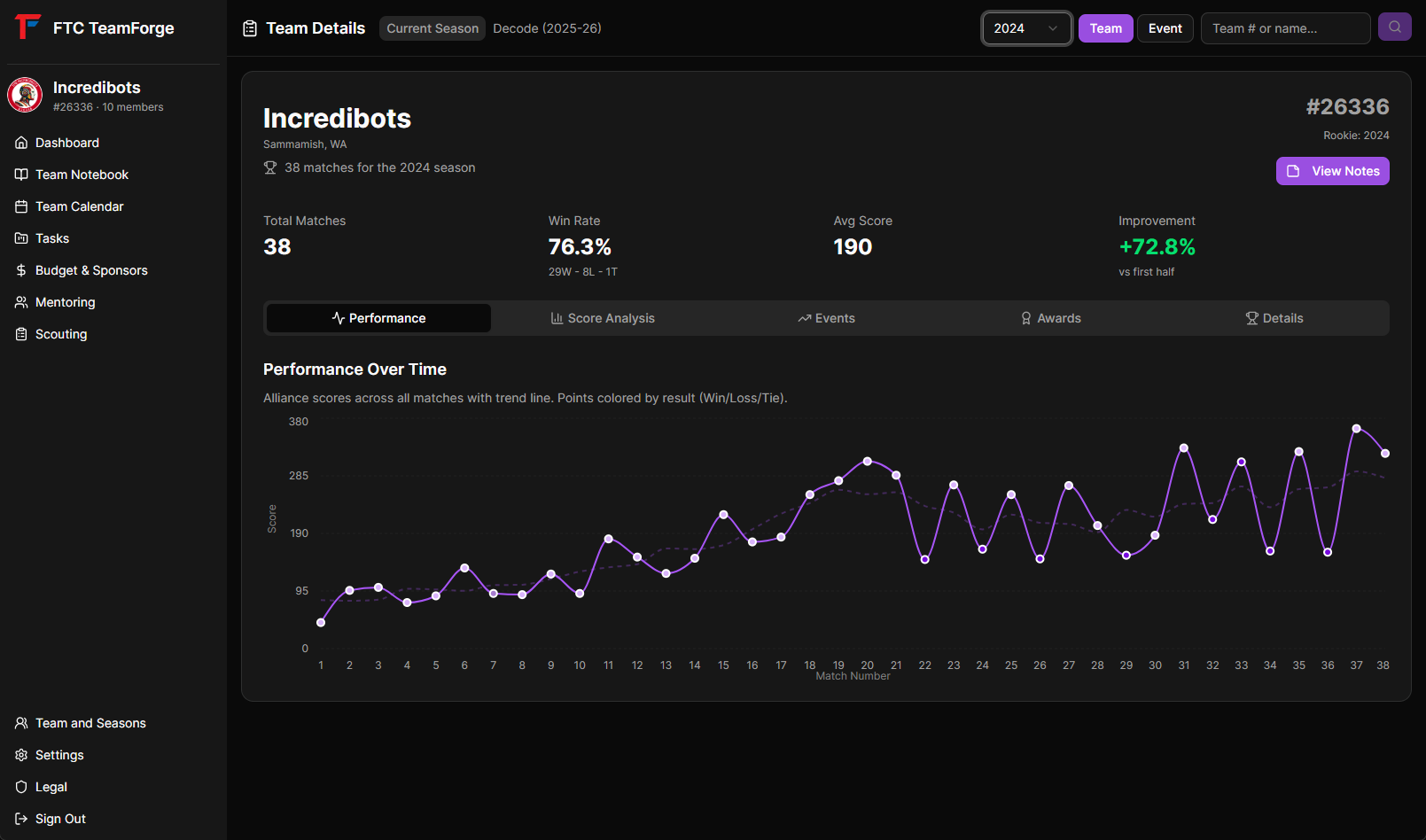 Required screenshot:
 scouting-overview.png
Overview
The Scouting module connects to the official FIRST Tech Challenge Events API to provide real-time information about teams, events, matches, and awards.
Setting Up FTC Events API Access
To use scouting features, you need API credentials:
- Visit FTC Events API
- Click "Register for API access"
- Fill out the registration form with your team information
- You'll receive your API username and key via email
- Add credentials to your environment variables:
FTC_API_USERNAMEFTC_API_KEY
 Required screenshot:
 scouting-api-setup.png
Your Team's Events
The scouting homepage displays your team's upcoming events for the current season:
- Event name and code
- Event date
- Location
- Division (if applicable)
Click on any event to see details and team roster.
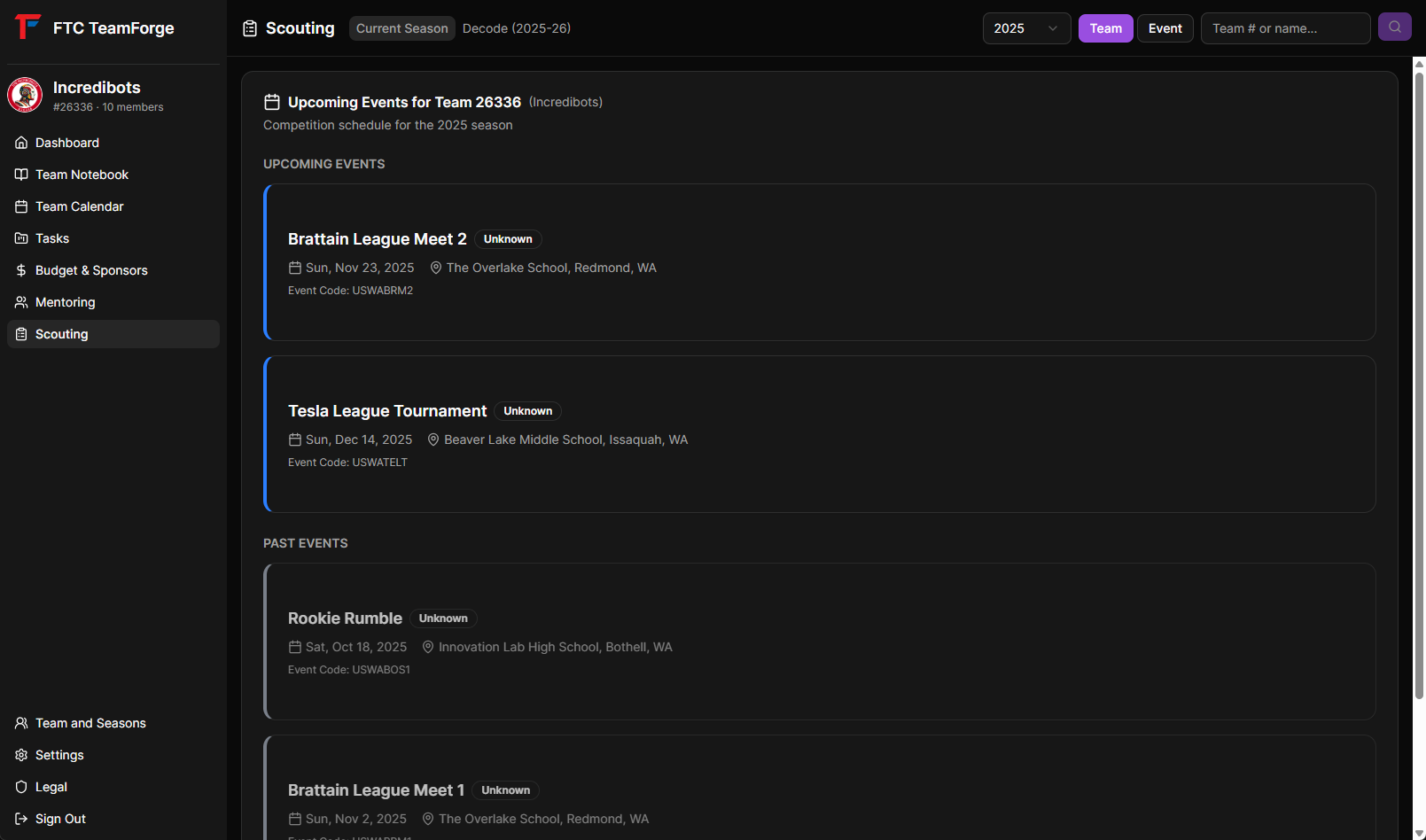 Required screenshot:
 scouting-your-events.png
Searching Teams
Find information about any FTC team:
- Go to the "Teams" tab
- Enter team number or name in the search bar
- Search supports:
- Exact team numbers (e.g., "26336")
- Partial team names (e.g., "Incredibots")
- Fuzzy matching for misspellings
 Required screenshot:
 scouting-team-search.png
Team Information
View detailed team information:
- Team number
- Team name
- School/organization
- Location (city, state, country)
- Rookie year
Team Events
See all events the team is registered for:
- Current season events
- Past 2 seasons available
- Event dates and locations
- Competition divisions
 Required screenshot:
 scouting-team-events.png
Match History
View a team's match results:
- Qualification matches
- Playoff matches
- Match scores
- Alliance partners
- Ranking points
 Required screenshot:
 scouting-team-matches.png
Awards History
Track awards won by a team:
- Award names
- Events where awards were won
- Season year
- Full award history across multiple seasons
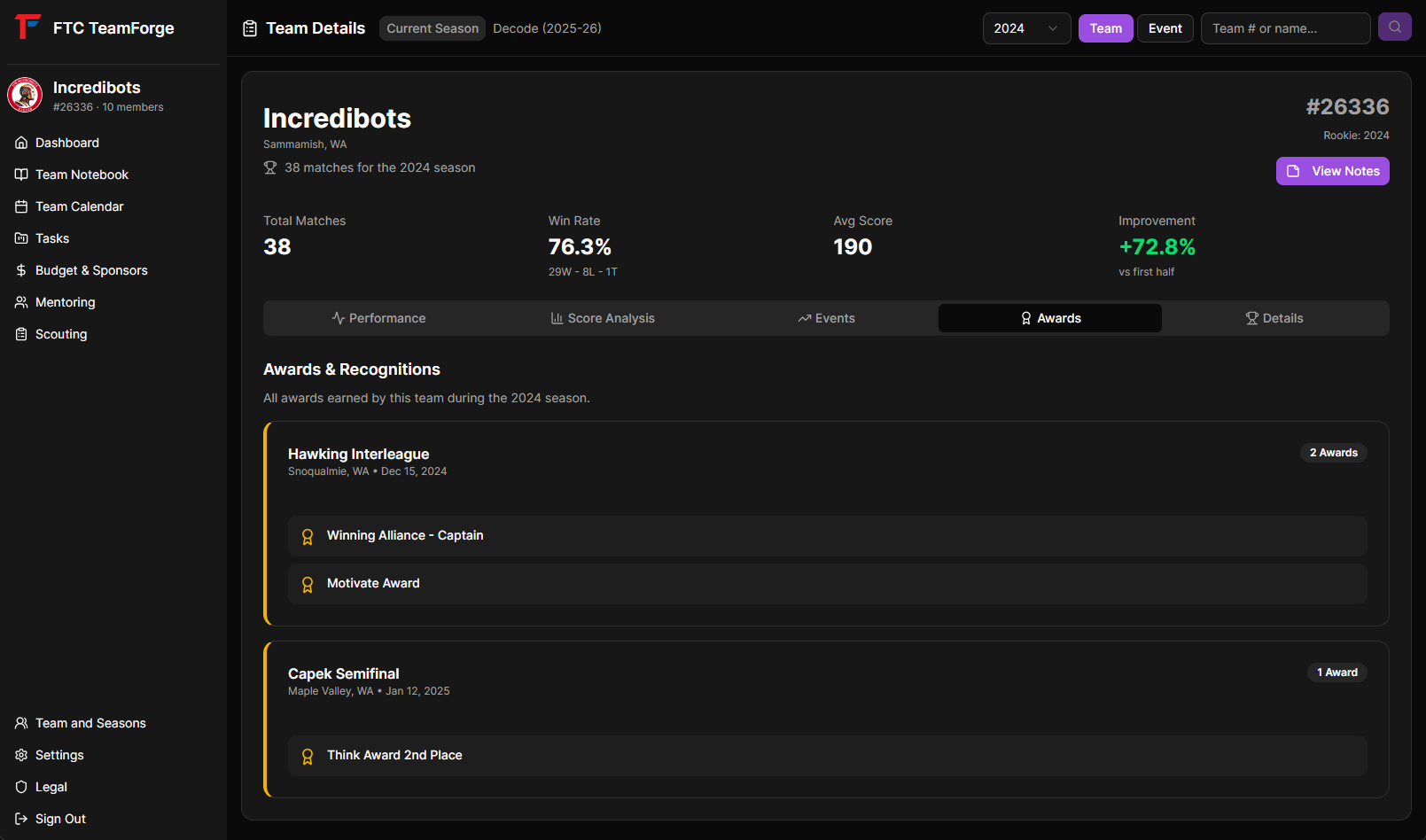 Required screenshot:
 scouting-team-awards.png
Searching Events
Find FTC events:
- Use the event search functionality
- Enter event name or code
- View event details:
- Full event name
- Event code
- Date and location
- Teams attending
 Required screenshot:
 scouting-event-search.png
Event Team Roster
See all teams registered for an event:
- Team numbers and names
- Team locations
- Quick links to team profiles
 Required screenshot:
 scouting-event-roster.png
Scouting Notebooks
Create detailed scouting notes linked to specific teams:
- Search for a team
- View their profile
- Click to create a scouting notebook
- Document:
- Robot capabilities
- Strategy observations
- Alliance compatibility notes
- Competition performance
 Required screenshot:
 scouting-notes.png
Entity-Linked Notes
Scouting notebooks are entity-linked to specific team numbers. This means:
- Notes stay attached to that team
- Easy to find during competitions
- Access from either Notebook or Scouting module
Season Selection
Switch between seasons to view historical data:
- Current season (default)
- Past 2 seasons available
- Data updates automatically
 Required screenshot:
 scouting-season.png
Data Caching
TeamForge caches FTC team data for fast search:
- Automatic background updates
- Fuzzy search with trigram matching
- Instant results without API delays
- Handles thousands of teams efficiently
Rate Limiting
The FTC Events API has rate limits:
- TeamForge respects these limits
- 20 requests per minute for scouting searches
- Cached data reduces API calls
Use Cases
Pre-Competition Scouting
Before a competition:
- Search for teams attending
- Review their recent match performance
- Check their award history
- Create scouting notes on potential alliance partners
Alliance Selection
During competitions:
- Quickly look up team capabilities
- Review your scouting notes
- Compare match performance data
- Make informed alliance selection decisions
Strategy Planning
Use scouting data to:
- Identify strong teams in your division
- Understand regional meta-strategies
- Plan game strategy based on competition field
- Track rival team progress
Tips
- Scout Early - Review teams before you arrive at competition
- Document Observations - Use notebooks to record what you see
- Track Trends - Look at match history to identify consistency
- Award History - Awards indicate team quality and expertise areas
- Update Notes - Revise scouting reports as you gather more info
- Share With Team - All team members can access scouting data
- Offline Access - View previously loaded data without internet