
Dashboard
The Dashboard is your team's central hub, providing an at-a-glance view of your team's activities, metrics, and upcoming tasks.
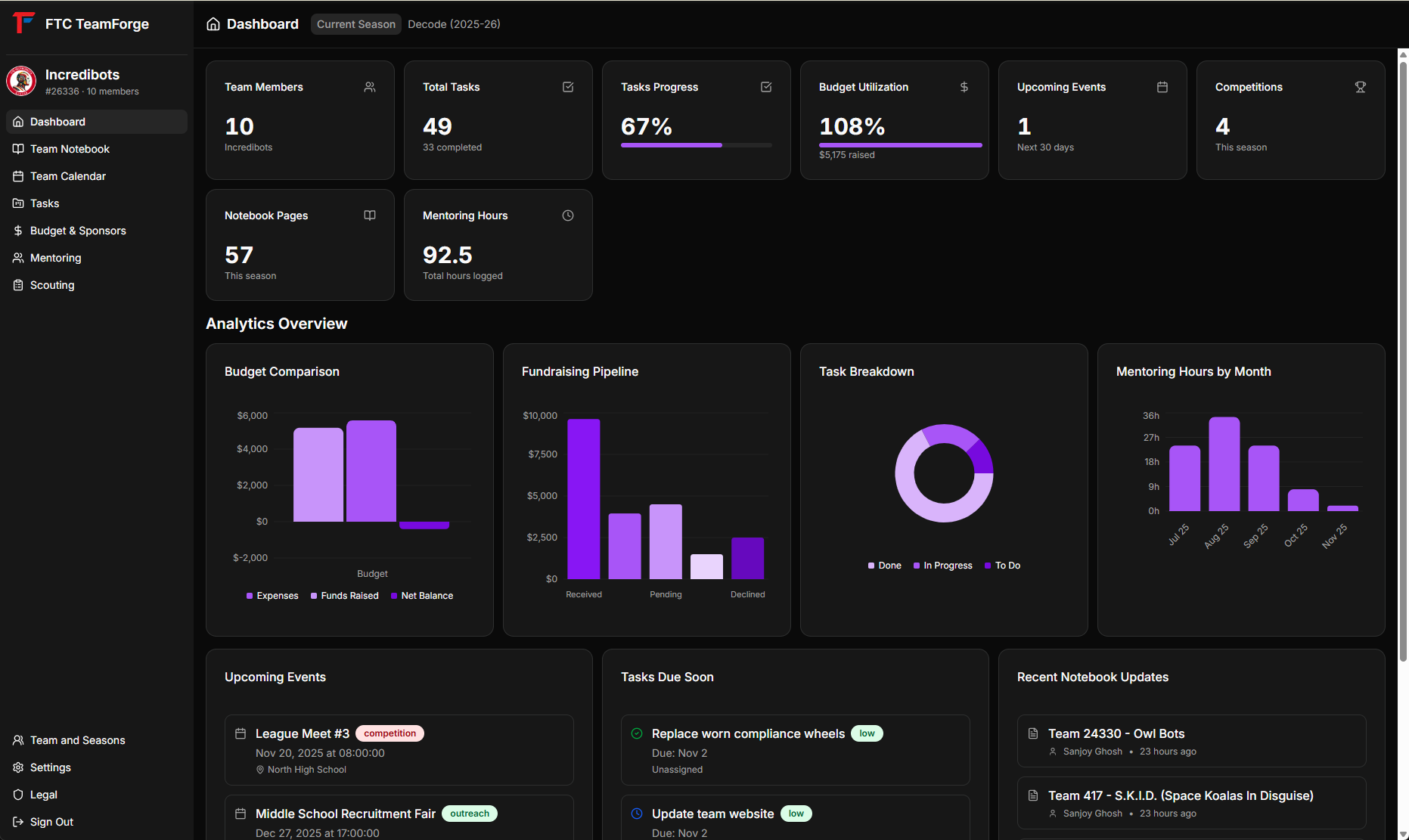 Required screenshot:
 dashboard-overview.png
Overview
When you first log in to FTC TeamForge, you'll be greeted by the Dashboard. It displays real-time information about your team's current season, helping you stay organized and informed.
Key Metrics
At the top of the dashboard, you'll find key metrics cards showing:
- Team Members - Total number of active team members
- Budget Overview - Total funds raised vs. total expenses
- Upcoming Events - Number of events in the next 30 days
- Active Tasks - Number of tasks currently in progress
Dashboard Widgets
Upcoming Events
View your next 5 upcoming team events with date, time, and event type. Click on any event to view full details or RSVP.
Tasks Due Soon
See tasks approaching their deadline so you never miss an important deliverable. Tasks are color-coded by category for easy identification.
Recent Notebook Entries
Quick access to your team's latest documentation and notes. Click any entry to jump directly to that notebook page.
Budget Comparison Chart
Visual representation of your monthly fundraising vs. expenses over time, helping you track financial health at a glance.
Task Breakdown
Pie chart showing the distribution of your tasks across different statuses (To Do, In Progress, Done).
Mentoring Hours
Line chart tracking your team's mentoring activity over the last 6 months, showing both session count and total hours.
Fundraising Pipeline
Bar chart displaying your fundraising opportunities by status, from prospecting through received funds.
Navigating from the Dashboard
Use the sidebar on the left to navigate to different modules. The current season is displayed in the top header - you can switch seasons from the Team page if needed.
Tips
- Check the dashboard daily to stay updated on team activities
- The dashboard automatically updates when data changes in other modules
- All widgets show data filtered to your current active season